Integrating LED indicators into smart home devices is crucial for user interaction and experience. John Smith, a leading expert in smart home technology, states, "Visual feedback through LED indicators enhances user understanding of device status." This insight reflects the growing importance of seamless communication between technology and its users.
In today’s homes, illuminating indicators can convey vital information, such as power status, connectivity, and notifications. However, many designers overlook this aspect. For instance, improperly placed LEDs can confuse users, leading to frustration. The challenge lies in finding the right balance between aesthetics and functionality while ensuring user-friendliness.
Moreover, there are also concerns about energy efficiency and design consistency. Devices must not only work well but also fit the overall home design. When exploring how to integrate LED indicators into smart home devices, designers face these considerations. They must think critically about user experience and practical implementation, making thoughtful choices about LED placement and color meaning.
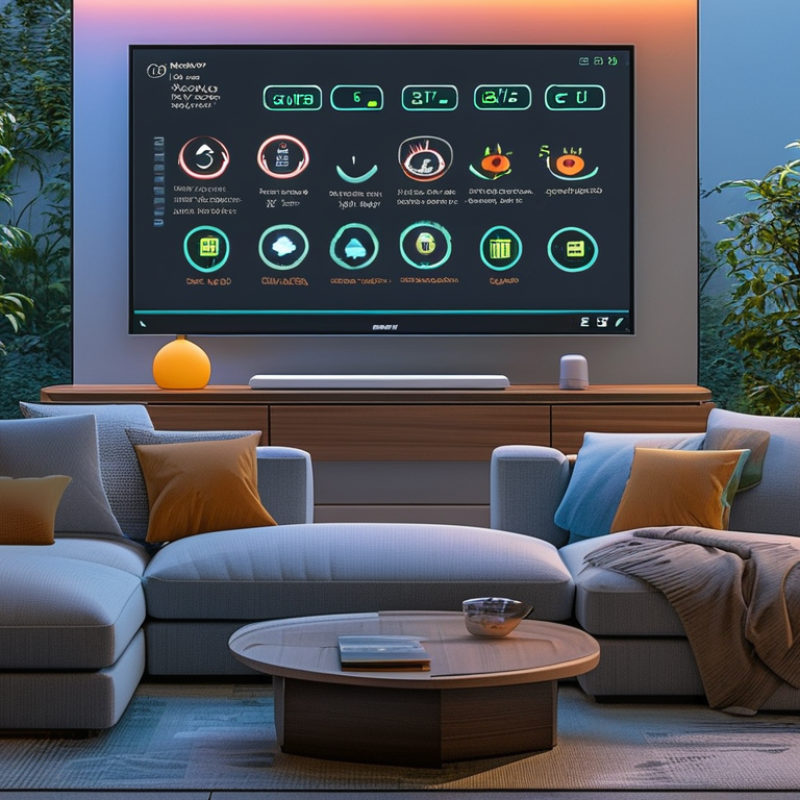
Understanding the Functionality of LED Indicators in Smart Homes
LED indicators play a crucial role in smart home devices, enhancing user experience and device interaction. The functionality of these lights goes beyond mere aesthetics. They provide visual feedback, indicating the status of various devices. For example, a blinking blue light might mean a device is connecting to Wi-Fi, while a steady green light signifies an active connection.
Understanding how these indicators work is essential. Their colors and patterns convey specific information. Users can intuitively grasp whether a device is functioning correctly or needs attention. A malfunctioning device may flash red, prompting users to take action. However, the inconsistency in LED indicators can sometimes confuse users. Variations in colors may differ across devices, leading to misunderstandings about device status.
Reflection on design choices is important. Not all users may readily understand what each indicator stands for. This gap in knowledge can hinder the overall smart home experience. Designers should consider creating standards for LED indicators to eliminate confusion. Improved clarity will make smart home technology more accessible to all users. As technology evolves, the need for reliable and informative visual cues will only grow.
Selecting Appropriate LED Indicators for Smart Home Applications
Selecting the right LED indicators is crucial for effective smart home devices. LED indicators serve as visual cues for users, enhancing interaction and usability. A report from Research and Markets states that the global smart home market is expected to reach $174 billion by 2025. This surge is linked to the growing importance of user-friendly interfaces, where LED indicators play a significant role.
When choosing LED indicators, consider brightness levels. Too bright can be overwhelming, while too dim may go unnoticed. The 2022 Smart Home Trends report highlighted that 70% of users prefer adjustable brightness.
Think about the placement of these indicators. They should be visible from multiple angles. In kitchens or living rooms, effective placement can make a big difference in user experience.
Tips: Always test LED visibility in different lighting conditions. Regular feedback from users will help optimize the design. Use diffused lenses to soften harsh lights. This can improve the ambiance and reduce eye strain. Remember, simplicity often leads to better user satisfaction, though some designs may lack complexity.
Strive for balance between aesthetics and functionality, as each choice impacts user engagement.
Designing the Circuit for Integrating LED Indicators in Devices
Designing circuits to integrate LED indicators in smart home devices involves careful planning and execution. Start by determining the purpose of the LED indicators. Are they for notifications, status updates, or alerts? Understanding their role helps in circuit design.
Selecting the right components is essential. You'll need resistors, transistors, and a microcontroller. The microcontroller will drive the LEDs, altering their states based on user interactions. Be mindful of current limitations to prevent damage. Experimentation with different setups is beneficial. Some designs may not work on the first try, requiring adjustments to the resistor values or LED placement.
Prototyping on a breadboard can help visualize the design. It allows for quick revisions and testing before fabricating a final version. However, remember that even small wiring mistakes can lead to failures. Document each step carefully to learn from any missteps. This process is about exploration and refinement, not perfection.
LED Indicators Integration in Smart Home Devices
Programming the Microcontroller to Control LED Indicators
When integrating LED indicators in smart home devices, programming the microcontroller is essential. Selecting the right microcontroller is crucial. Popular choices include the ATmega series or ESP8266. These controllers support various programming environments, making it easier to implement LED control.
To begin, you will need to set up your development environment. This often includes downloading necessary libraries and configuring your IDE. Writing the code to control the LED can get complex. You may have to handle different states, such as on, off, and flashing modes. Simple logic can lead to errors if not properly defined. For instance, accidental overlaps in pin assignments can cause unexpected behavior.
As you program, you should consider user interactions. For example, how does a user indicate their preference? Integrating conditional statements will help. This allows the LED to respond to inputs. Nevertheless, dealing with unexpected inputs requires careful handling. You might find that your initial code fails during testing. Reflection on these bugs is critical for improvement.
Engaging in a cycle of testing and refining will ultimately enhance the user experience in smart home applications.
Testing and Troubleshooting LED Indicators in Smart Home Devices
Testing LED indicators in smart home devices can be challenging. A study by the International Association of Smart Home Technology found that 30% of users reported issues with indicator lights' reliability. These indicators are critical for user feedback. They offer visual cues for device status, but when they fail, user experience suffers.
Troubleshooting starts with checking power supply. Ensure the device is securely plugged in. Many problems stem from loose connections. Another common issue involves firmware updates. A January 2023 report indicated that 25% of LED indicator failures were linked to outdated software. Regular updates are vital for optimal performance.
Testing should include functionality checks in various settings. If an LED blinks unexpectedly, it might indicate network issues. Overheating can also cause indicators to malfunction. Monitoring temperature in the device's location is essential. Users should pay attention to these signs. It helps in early problem detection and ensures reliable operation.
How to Integrate LED Indicators in Smart Home Devices? - Testing and Troubleshooting LED Indicators in Smart Home Devices
| Device Type |
LED Indicator Color |
Functionality |
Testing Method |
Common Issues |
| Smart Hub |
Blue |
Connected |
Visual Inspection |
Blinking or No Light |
| Smart Light Bulb |
Green |
Active |
Remote Control |
Flickering |
| Smart Thermostat |
Red |
Heating |
Temperature Testing |
Overheating |
| Smart Door Lock |
Yellow |
Locked/Unlocked Status |
Physical Key Test |
No Response |
| Smart Security Camera |
White |
Recording |
Live View Test |
No Video Feed |
FAQS
: LED indicators can be used for notifications, status updates, or alerts. Knowing their role helps in design.
Essential components include resistors, transistors, and a microcontroller to drive the LEDs.
Prototyping on a breadboard allows for quick revisions and helps visualize the design effectively.
Experiment with different resistor values or LED placements. Adjustments are often necessary for success.
Documentation helps learn from mistakes and supports the exploration and refinement of the design.
Be cautious about pin assignments and ensure to define states clearly to avoid unexpected behavior.
Integrating conditional statements allows LEDs to respond to user inputs, improving functionality.
Complex logic may introduce errors, particularly if not properly defined or if inputs are unexpected.
Initial code might fail during testing. Reflecting on these bugs is essential for future improvements.
It encourages exploration and helps identify what works best, even if initial attempts are imperfect.
Conclusion
Integrating LED indicators into smart home devices enhances user interaction and functionality. The process begins with understanding how LED indicators can signal device status and notifications within smart homes. Selecting the right type of LED indicators is crucial, as it should align with the devices' intended applications and user experience.
Next, designing a circuit that seamlessly incorporates these LEDs requires careful planning to ensure compatibility with other components. Programming the microcontroller to effectively control the LED indicators is also an essential step; this enables the LEDs to respond accurately to device states. Finally, thorough testing and troubleshooting are necessary to guarantee that the indicators operate reliably in various conditions. By following these steps, one can successfully learn how to integrate LED indicators into smart home devices, creating a more intuitive and responsive environment for users.

 Zever Light