Testing an infrared LED can be a straightforward process, especially if you use your phone camera. Many people may not realize that their phones can effectively aid in this task. Understanding how to test an infrared LED with a phone camera can save you time and effort.
Most smartphone cameras can detect infrared light. This capability makes it easier to confirm whether an infrared LED is functioning. When you aim your phone camera at an active infrared LED, the camera will usually show a glow that we cannot see with the naked eye. This is a simple yet effective method.
It's important to note that not all phone cameras yield the same results. Differences in camera technology can lead to varying success rates in detecting infrared light. If your first attempt doesn’t work, try adjusting the distance or angle. This trial and error can help refine your technique, ensuring more reliable testing results. Embrace this process as part of the learning curve.
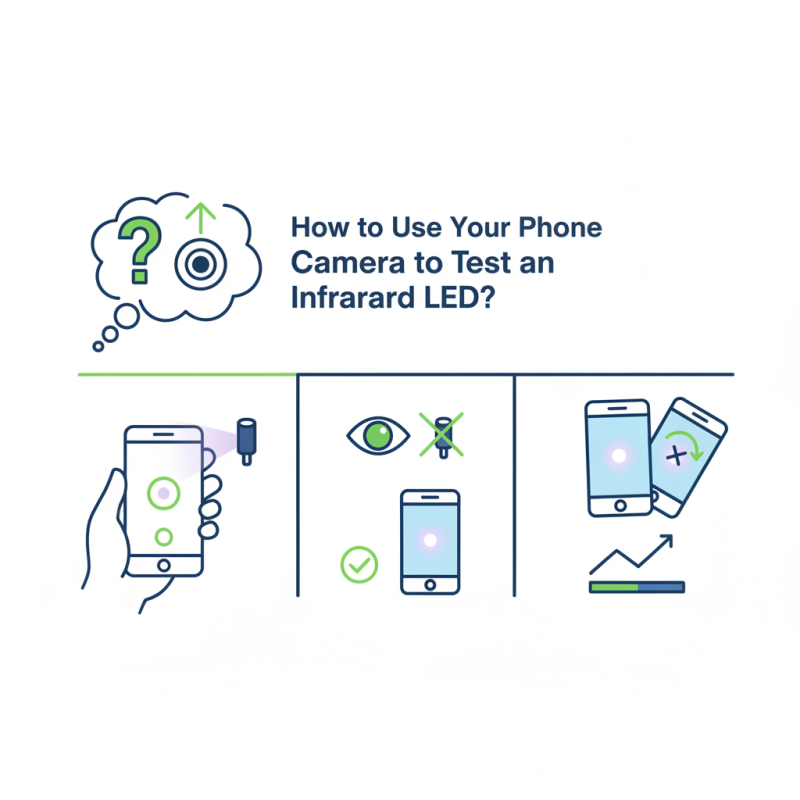
Infrared LEDs are unique devices that emit light in the infrared spectrum. This type of light is not visible to the naked eye but can be detected by certain electronic sensors. Infrared LEDs have a wide range of applications, from remote controls to night-vision devices. According to a 2022 market research report by Technavio, the infrared LED market is projected to grow by over 8% annually, indicating a rising interest in their capabilities.
In technical terms, infrared LEDs typically emit light at wavelengths between 700 nm and 1 mm. They are commonly used in surveillance systems and automotive applications. However, not everyone understands their functionality. The misconception that all light can be seen has led to gaps in knowledge about infrared technology. Unfortunately, many users may overlook the importance of these devices in everyday tools. This gap in understanding can cause frustration when trying to use infrared features effectively.
When utilizing a smartphone camera to test an infrared LED, the image may not clearly show the LED's function. Users might be surprised to find that the expected brightness does not always appear on screen. This can lead to confusion about whether the LED is working properly. Taking time to learn the properties of infrared light can help clarify these observations. Engaging with educational resources and technical documentation can enhance appreciation for this technology.
: Clean the lens to avoid obscured signals, and understand your device's capabilities.
Yes, utilizing filters or apps that improve infrared capture is important. Many users underestimate this.
Different environments can impact infrared visibility. Experimentation helps understand your camera's response.
If the LED appears as a blue or violet dot, it’s working. No signal may indicate a malfunction.
Up to 15% of infrared devices may fail during initial tests. Testing thoroughly is crucial.
Most cameras are tuned for visible light and may fail to capture emissions beyond 900nm.
Poor alignment may lead to missing the signal entirely, affecting accuracy significantly.
Yes, filters can complicate readings and lead to misleading conclusions about LED performance.
Ensure the LED is illuminated and aligned. Misalignment can greatly reduce signal detection.
Reflect on test conditions and adjust your method. Patience may be necessary for clear results.
This article provides a comprehensive guide on how to test an infrared LED with a phone camera, making use of the capabilities of modern smartphones. It begins by explaining the functionality of infrared LEDs and how they emit light that is invisible to the naked eye but can be detected by certain phone cameras. The preparation of the phone camera for infrared detection is outlined, emphasizing adjustments necessary for accurate testing.
Following this, a step-by-step guide details the process of conducting the test, from positioning the infrared LED to analyzing the phone camera's response. The article also helps readers interpret the results of their tests, enabling them to determine whether the infrared LED is functioning properly. Common issues encountered during testing are addressed, providing troubleshooting tips to ensure successful results. Overall, readers are equipped with the knowledge needed to effectively test infrared LEDs using their phone cameras.

 Zever Light